
You set up a great livestream, lined up your products, and went live. But almost nobody showed up. That is the problem TikTok Live Shopping Ads were built to solve, and the way they work has shifted in a big way.
If you tried to launch one the old way recently, you probably hit a wall. TikTok changed the rules, and the format you remember is not the format you run today.
This guide walks you through what TikTok Live Shopping Ads are, what replaced the old setup, and how to drive real viewers to your live room right now.
Here is what you will learn:
- What TikTok Live Shopping Ads actually do for your livestream
- The July 2025 change that retired the old campaign type
- How LIVE GMV Max differs from the classic format
- The exact steps to launch a livestream ad today
- How much to budget and whether live ads still pay off
By the end, you will know how to promote a livestream without guessing. Let’s get into it.
Get Up to $6000 Free TikTok Ad Credit
Table of Contents
Key Takeaways
- TikTok Live Shopping Ads drive paid traffic to your live shopping events so more people watch and buy in real time.
- As of July 2025, TikTok made GMV Max the default and only campaign type for TikTok Shop Ads, which means new livestream ads run through LIVE GMV Max.
- LIVE GMV Max is built and managed in Seller Center, not Ads Manager, and it optimizes for your whole live room revenue.
- Livestream’s share of TikTok Shop sales fell from 26% in July 2024 to 18% in July 2025, based on Charm.io data reported by eMarketer, so live ads work best paired with strong video content.
- Plan your budget around the learning phase, since TikTok suggests roughly 40 conversions to stabilize delivery.
What Are TikTok Live Shopping Ads?
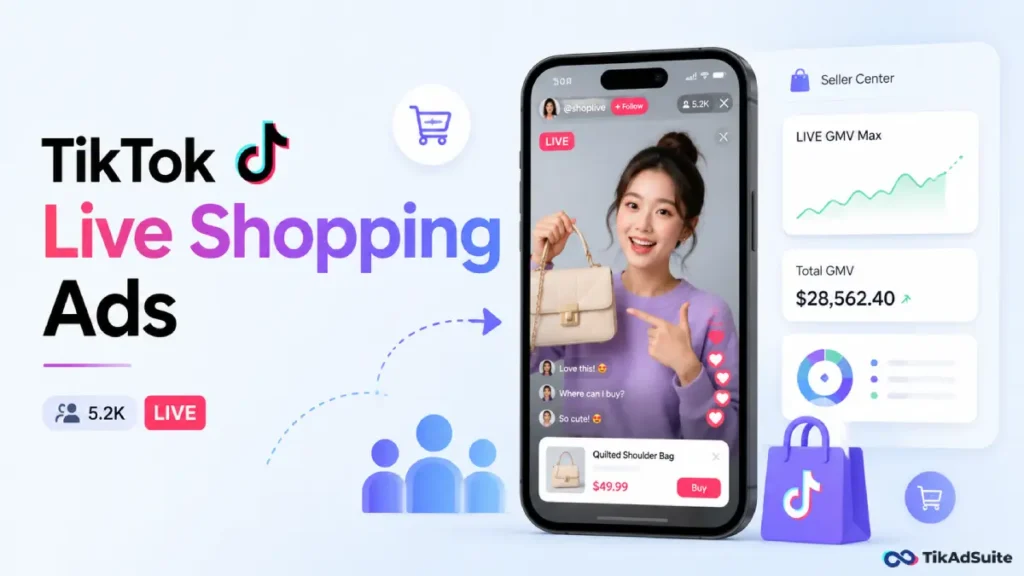
TikTok Live Shopping Ads are paid promotions that push your live shopping events to more viewers. They help people discover your livestream, watch it, and buy your products without leaving the broadcast. Think of them as a megaphone that pulls shoppers into your liveroom while you sell on camera in real time.
What Are TikTok Live Shopping Ads Used For?
These ads exist for one reason: more eyes on your live event. A livestream with five viewers will not move much product. A livestream with five thousand engaged shoppers can sell out a launch in an hour.
The ads appear in the For You feed and other placements. When someone taps in, they land directly in your active livestream, where they can browse pinned products and check out on the spot. That mix of entertainment and instant buying is what makes the format powerful.
You will need a TikTok Shop connected to your ad account before any of this works. If you have not built your store yet, start by learning how to set up a TikTok Shop and connect it through Seller Center.
You can register and manage your store with TikTok Seller, which is the hub for everything shop-related.
What Changed in July 2025?
This is the part most guides get wrong. The classic LIVE Shopping Ads setup is no longer the default way to run livestream ads.
Beginning July 2025, TikTok made GMV Max the default and only supported campaign type for TikTok Shop Ads.
You can read the details in TikTok’s official migration notice. In plain terms, if you create a Sales campaign with your TikTok Shop as the destination, you now run a GMV Max campaign.
For livestreams, that means LIVE GMV Max. GMV stands for gross merchandise value, which is the total sales revenue your shop earns before fees and refunds.
So GMV Max simply means a campaign built to push that number as high as possible. If you want the full breakdown of the system, our guide to how TikTok GMV Max works covers it end to end.
LIVE Shopping Ads vs LIVE GMV Max: What Is the Difference?
Both formats drive traffic to your live room, but they work in very different ways. The biggest split is where you build them and what they optimize for.
Here is a side-by-side based on TikTok’s official comparison:
| Feature | LIVE Shopping Ads | LIVE GMV Max |
| Optimizes for | LIVE ad placements only | LIVE ad and organic placements |
| Built and reported in | Ads Manager | Seller Center Ads tab |
| Setup level | Ad account | Shop level |
| Inputs needed | Profile, budget, schedule, goal, bidding, targeting, creative | Profile, budget, start time |
| ROI definition | Ad revenue divided by ad cost | Total liveroom revenue divided by ad cost |
| Delivery focus | Spends budget evenly | Hits your ROI target first |
The takeaway is simple. LIVE GMV Max asks for fewer inputs and rewards your whole liveroom, not just the paid slice. It pulls in organic views, paid views, and creator content together.
How Do You Set Up a LIVE GMV Max Campaign?
Setup is faster than the old way because the system handles targeting and creative for you.
Here is the basic flow:
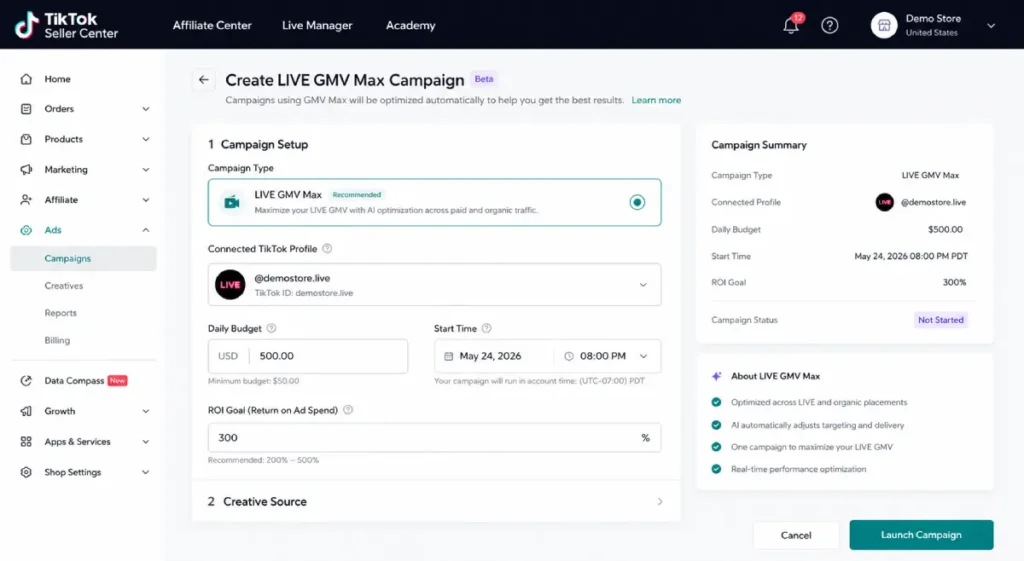
- Open Seller Center and go to the Ads tab, then choose LIVE GMV Max.
- Connect the TikTok profile that will host the livestream.
- Set your daily budget and your start time.
- Pick your creative approach, since TikTok offers Video-to-LIVE and LIVE-to-LIVE options.
Video-to-LIVE uses your existing TikTok videos to pull viewers into the live room. LIVE-to-LIVE uses your active stream itself to attract more people in real time.
TikTok blends both automatically to chase the best result, as explained in its LIVE GMV Max overview.
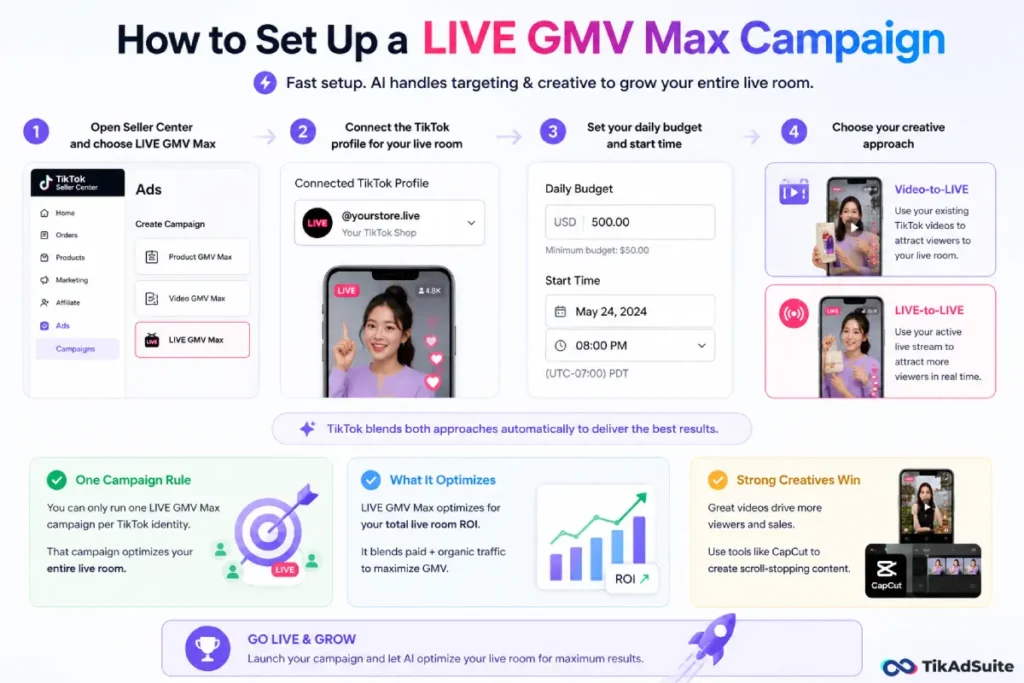
One rule trips people up: you can only run one LIVE GMV Max campaign per TikTok identity. That single campaign optimizes the entire live room.
Strong video creatives feed the engine, so editing tools like CapCut help you produce clips that earn the click.
How Much Should You Budget?
There is no single magic number, but there is a smart way to plan. New campaigns go through a learning phase while the algorithm figures out who buys.
TikTok’s budget best practices note that it takes around 40 conversions per shop to exit that phase. A practical move is to set your budget at roughly 40 times your historical cost per action. That gives the system enough room to learn without starving midstream.
Avoid big mid-campaign edits during a live event. Pausing or changing your ROI target can reset learning and hurt delivery. Set it, fund it, and let it run through your broadcast.
Do Live Shopping Ads Still Work in 2026?
Yes, but with a clear eye on the data. Livestream is one piece of a bigger puzzle, not the whole game.
Livestream’s share of TikTok Shop sales actually dropped from 26% in July 2024 to 18% in July 2025, according to Charm.io figures reported by eMarketer.
Shoppers increasingly buy from on-demand creator videos in the For You feed. So if you bet everything on live, you leave money on the table.
Live still shines for launches, limited drops, and big sale events where urgency drives action. The strongest sellers run live ads alongside steady short-form content.
If you want a fuller view of paid shop options, our guide on how to advertise on TikTok Shop maps out the channels that work together.
Tips to Get More From Your Livestream Ads
A few habits separate streams that convert from streams that stall:
- Start promoting a few days early so viewers are ready when you go live.
- Pin a clear hero product and repeat the offer often for new arrivals.
- Use real demos and honest reactions, since live audiences smell scripts fast.
- Keep your ROI target realistic, then raise it only after a stream proves out.
Frequently Asked Questions
Can I still create classic LIVE Shopping Ads?
For new Sales-objective Shop campaigns, no. Since July 2025, GMV Max is the default and only supported type, so livestream promotion now runs through LIVE GMV Max in Seller Center. Existing classic ads were prompted to migrate, and any active ones pause automatically when a LIVE GMV Max campaign goes live for the same shop.
Where do I build a LIVE GMV Max campaign?
You build it in Seller Center under the Ads tab, not in TikTok Ads Manager. This is different from the old LIVE Shopping Ads, which lived in Ads Manager. The shift keeps your shop, products, and livestream promotion in one connected place.
What does GMV Max optimize for during a livestream?
LIVE GMV Max optimizes for your total live room return on investment. It counts conversions that happen in the live room while the campaign runs, then divides that revenue by your ad spend. It blends paid and organic placements to grow the full value of the stream.
Do I need a lot of videos to start?
No. You can launch with minimal creative because the system pulls from your connected TikTok account and your live feed. Video-to-LIVE and LIVE-to-LIVE creatives are chosen and balanced for you, though fresh, engaging clips will improve how many viewers you attract.
Is livestream still worth it if its sales share is shrinking?
Yes, when used for the right moments. Live works best for launches, drops, and sale events that thrive on urgency. Pair it with on-demand video, which now drives most TikTok Shop sales, and you capture both audiences instead of one.
Wrapping Up
The single most useful move you can make today is to stop hunting for the old LIVE Shopping Ads setup and embrace LIVE GMV Max in Seller Center. That is where livestream promotion lives now.
Set a sensible budget, let the learning phase finish, and run live ads for the moments that deserve them.
Then keep your short-form video pipeline strong so you are covered when shoppers prefer on-demand.
Build your shop, connect your profile, and let the system do the heavy lifting on your next big stream.