
You picked a few interest categories, hit publish, and your ad still reached the wrong people. Or worse, it barely reached anyone at all. That gap between “I chose Beauty” and “I got sales” is where many advertisers get stuck.
TikTok ad targeting by interest is one of the fastest ways to put your product in front of people who already care about your category.
Done right, it warms up cold audiences and feeds the algorithm the signals it needs. And done wrong, it quietly drains your budget on viewers who scroll right past.
Here is what you will walk away with:
- How interest targeting actually works behind the scenes
- The difference between interest targeting and behavior targeting
- The interest categories that tend to convert best
- A full step-by-step setup inside TikTok Ads Manager
- How to refine targeting with video, creator, and hashtag signals
- The mistakes that wreck most interest campaigns
By the end, you will know exactly which boxes to check and which to leave alone. Let’s start with the short version, then build from there.
Get Up to $6000 Free TikTok Ad Credit
Table of Contents
Key Takeaways
- Interest targeting uses long-term behavior, not recent clicks, so it works best for finding new buyers rather than chasing people who already know you.
- Selecting multiple interests expands your reach instead of shrinking it, because TikTok treats each interest as a separate “OR” condition.
- TikTok now offers more than 700 interest categories, sorted into broad tiers and narrow subcategories you can mix together.
- Broad audiences tend to win. According to TikTok’s best practices for targeting, fairly broad audiences see about 15% lower cost per action and 20% higher conversion rates than narrow ones.
- Layering video, creator, and hashtag signals on top of interests turns a casual viewer pool into an audience of active, high-intent fans.
What Is TikTok Interest Targeting?
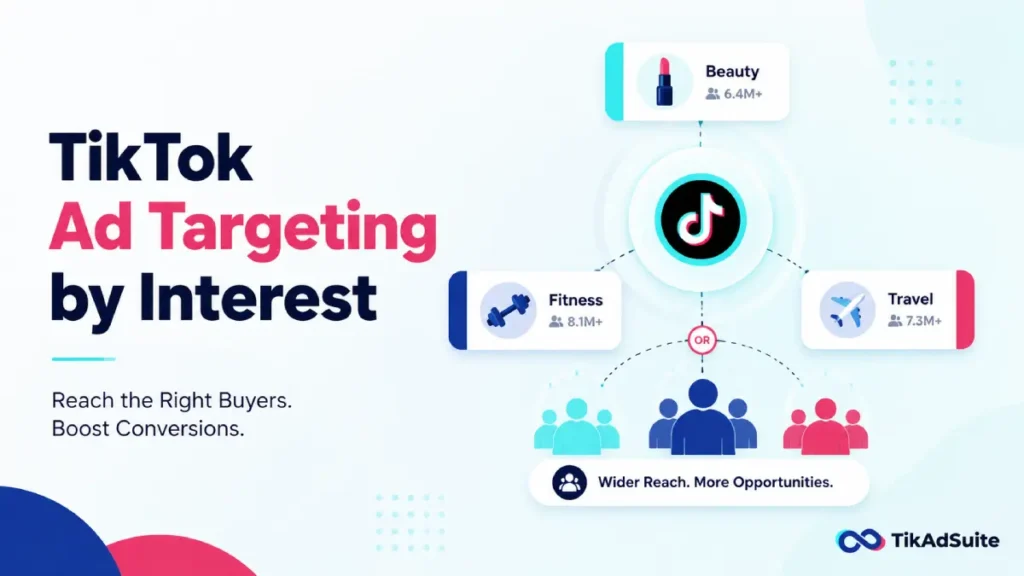
TikTok interest targeting shows your ads to people based on their long-term engagement with content categories like beauty, gaming, or travel. You pick interests inside the ad group, and TikTok delivers to users who fit those patterns. Selecting more than one interest widens your audience, since TikTok uses “OR” logic to combine them.
How TikTok Interest Targeting Works
TikTok sorts every user into interest groups based on what they watch, like, and return to over weeks and months.
This is called long-term affinity. Someone who watches makeup tutorials for months gets grouped under beauty interests, even if they did not tap “like” today.
That long-term view is the key thing to understand. Interest targeting is not about what someone did this afternoon. It is about the patterns they show again and again.
So your ad lands in front of people whose habits match your product, not people who happened to scroll one related clip.
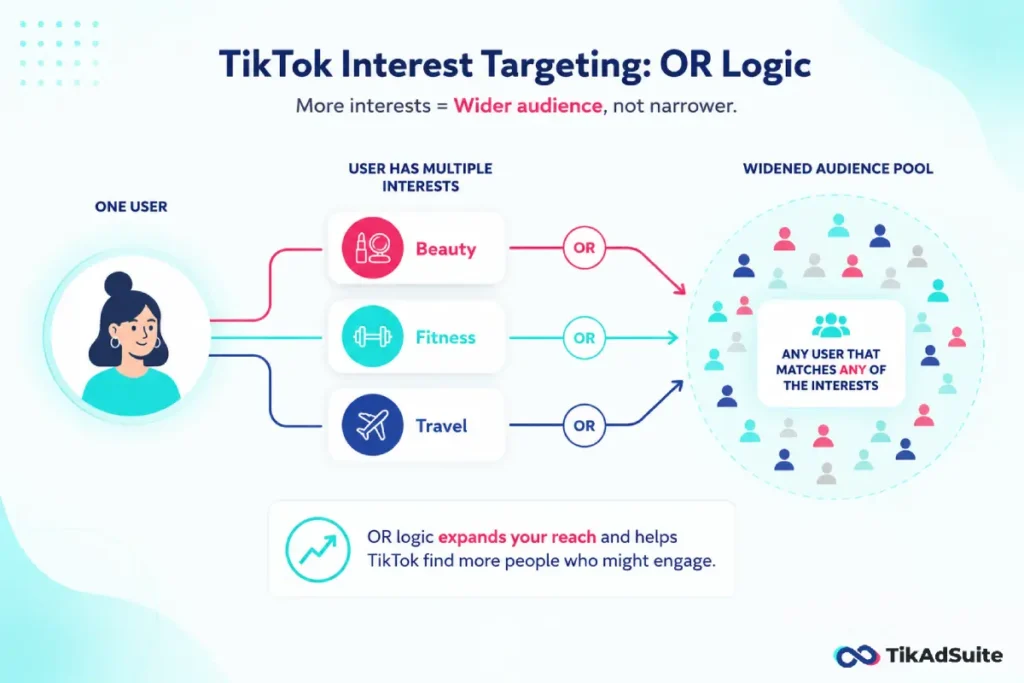
The second thing to know is the “OR” logic. When you add more than one interest, you do not shrink your audience. You grow it. If you target Cooking and Travel, TikTok reaches people interested in either one, not only those who love both.
According to TikTok’s official guidance on interest targeting, a single user can carry several interests at once, so each tag you add opens a new door instead of closing one.
If you feel unsure which interests fit, you do not have to guess. TikTok’s Targeting Recommendation tool reads your product type and landing page, then suggests categories likely to convert. It is a smart starting point when you are entering a new market with no past data to lean on.
Interest Targeting vs Behavior Targeting: What Is the Difference?
People mix these two up constantly, and it costs them money. Both live in the same Interest and Behavior section, but they pull from different timelines.
Interest targeting looks at long-term passions. Behavior targeting looks at recent actions, usually within the last 7 to 30 days.
One finds people who care about your category. The other catches people who just did something related to it.
| Targeting type | Time window | Best for |
| Interest | Months of activity | Discovery, finding new cold buyers |
| Behavior | 7 to 30 days | Warm intent, near-term action |
| Hashtag | Past 7 days | Hyper-specific micro communities |
Use interest targeting when you want reach and discovery. Use behavior when you want people closer to buying.
Most strong campaigns test both in separate ad groups, then move budget toward whichever drives results.
For a wider view of every option available, this breakdown of TikTok ad targeting options maps how each layer fits together.
TikTok Interest Categories You Can Target
TikTok organizes interests in a hierarchy. At the top sit broad umbrella categories. Underneath them branch hundreds of narrow subcategories. You can pick a broad tier to let the system explore, or drill into specifics to tighten your aim.
Some of the most common high-converting top-level categories include:
- Apparel and Accessories
- Beauty and Personal Care
- Business Services and E-commerce
- Education and Career
- Food and Beverage
- Games
- Travel
Each one opens into more precise subcategories. For example, Food and Beverage might split into baking, coffee, or healthy eating.
Mixing one broad interest with a couple of specific ones often gives the best balance of reach and relevance. If you want a deeper read on who sits inside these groups, the data on TikTok user demographics helps you match categories to real buyers.
A quick note on limits. If you run housing, employment, or credit ads in the US or Canada, TikTok restricts certain interest options under its special ad category rules. Check those before you build, so your ad does not get rejected at review.
How to Target by Interest on TikTok: Step by Step
Here is the part you came for. This walkthrough assumes you already have a TikTok Ads Manager account and a campaign objective in mind.
If you are still getting set up, start by creating your campaign through TikTok Ads and come back here for the targeting layer.
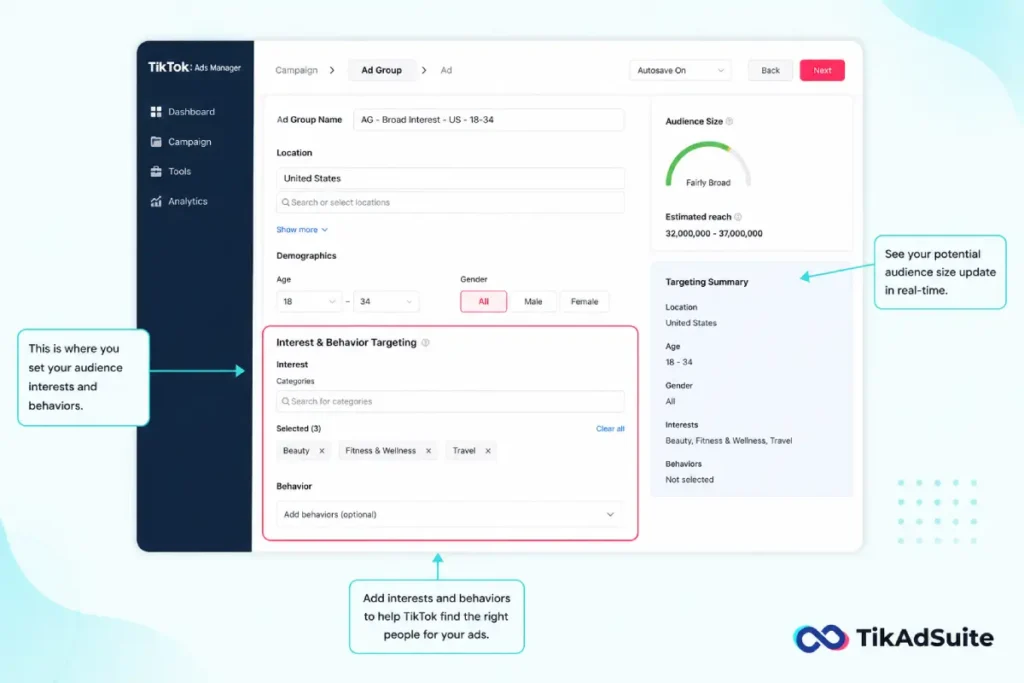
- Open your ad group settings: Inside your campaign, create or open an ad group. Scroll to the Targeting section. This is where all audience controls live.
- Set your location first: Choose your country, region, or city. You must pick a location before TikTok shows interest recommendations, so do this step before anything else.
- Add demographics if needed: Layer age, gender, and language only when they genuinely matter for your product. Over-filtering here quietly shrinks your pool, so keep it light.
- Find the Interest and Behavior Targeting box: Click into the Interest Categories field. A search bar and a scrollable list appear.
- Search or browse for interests: Type a keyword like “skincare” or “fitness,” or scroll the category tree. Click any category to add it. Each one you add widens your reach through OR logic.
- Use Targeting Recommendation: Click the Recommendations button next to the search bar. Hover over each suggested category to see its description and estimated audience size, then add the ones that fit.
- Watch the audience size meter: TikTok shows your estimated reach as you build. Aim for “fairly broad” rather than tiny. A narrow meter is a warning sign, not a badge of precision.
- Decide on Smart Targeting: This setting lets TikTok expand beyond your chosen interests when it spots high-converting users you missed. Leave it off for your first test to set a clean baseline, then switch it on once you have conversion data.
- Review and launch: Double-check your interests, location, and budget. Confirm the audience size feels healthy, then publish the ad group.
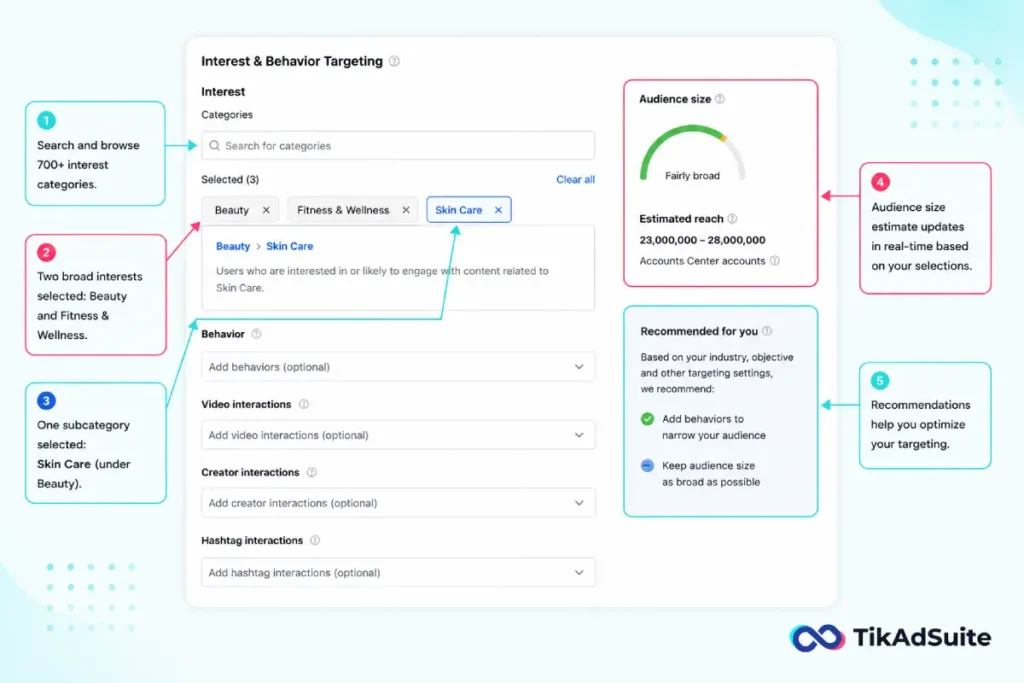
That is the full flow. The whole thing takes a few minutes once you know where each control sits. The first time is the slow time.
Refine With Video, Creator, and Hashtag Interactions
Broad interest buckets are a starting point, not a finish line. TikTok lets you go deeper by targeting how people behave, not just what they like. These three signals turn passive viewers into active fans.
Video interactions reach people who watched, liked, commented on, or shared videos in a category. Targeting users who watch fitness videos to the end pulls in committed viewers, not casual scrollers. This is one of the cleanest ways to find people leaning toward your niche.
Creator interactions reach people who follow or view certain types of creators. If your product fits mom bloggers or tech reviewers, you can target the people already glued to those creators. It is a smart proxy for buying intent.
Hashtag interactions reach people who engaged with specific hashtags in the past 7 days. This is your sniper rifle. Instead of broad “Marketing,” you target #smallbusinessowner or #shopifytips. To find which tags are worth chasing, check what is rising in trending TikTok keywords before you build your list.
A practical move: start with one broad interest, then layer a video or creator behavior on top to narrow it. You go from “people who like beauty” to “people who watch beauty tutorials to the end.” Same category, far higher intent.
How Many Interests Should You Target?
Fewer than you think. The most common mistake on TikTok is stacking ten interests, adding three behaviors, and squeezing the audience until it feels perfect. Then the campaign stalls because the algorithm has nothing to work with.
TikTok’s recommendation engine performs best with room to move. Start with one or two broad or moderately specific interests, then let the system find your buyers.
According to TikTok’s best practices for targeting, audiences that stay fairly broad, covering over 80% of potential users in a country, deliver about 15% lower cost per action and 20% higher conversion rates than narrow ones.
That does not mean go broad and walk away. It means start wide, gather data, then narrow based on what actually converts.
Test interests in separate ad groups so you can see which one drives sales, then move budget toward the winners.
For more on stretching results once you find them, this guide on how to scale TikTok ads shows where to push next.
Common Interest Targeting Mistakes to Avoid
A few patterns sink most interest campaigns.
Watch out for these:
- Over-narrowing. Layering too many interests creates a tiny pool, raises your costs, and starves the algorithm. Keep it lean.
- Ignoring the OR logic. Adding interests to “narrow” your audience does the opposite. It widens reach every time.
- Skipping behavior layers. Interest alone catches casual viewers. Add video or creator signals when you need real intent.
- Never testing. Running one ad group and hoping is not a strategy. Split interests across groups and compare.
- Forgetting the pixel. Without conversion tracking, you cannot tell which interests pay off. Set up your TikTok Pixel before you scale spend.
Fix these five, and you are already ahead of most advertisers in your niche.
Frequently Asked Questions
Does adding more interests make my TikTok audience bigger or smaller?
Bigger. TikTok uses “OR” logic for interests, so each one you add reaches a new group of users. Targeting Cooking and Travel reaches people interested in either topic, not only those interested in both. To shrink and sharpen your audience, layer behavior or hashtag signals on top instead of stacking more interests.
Is interest targeting better than behavior targeting on TikTok?
Neither wins outright. Interest targeting uses long-term habits and suits discovery and cold reach. Behavior targeting uses recent actions from the last 7 to 30 days and suits warmer, higher-intent campaigns. Most strong setups test both in separate ad groups, then shift budget toward whichever produces lower cost per result.
How many interest categories should I select for a new campaign?
Start with one to three. A small, focused set gives TikTok enough room to optimize while still pointing it toward the right communities. Adding too many interests or stacking heavy filters shrinks your pool and raises costs. Once you gather conversion data, narrow toward the interests that actually drive sales.
Can I target people who follow specific TikTok creators?
Yes. Creator interaction targeting lets you reach users who follow or view profiles in a category, such as fitness coaches or tech reviewers. It works as a strong intent signal because these users already engage with content close to your niche. Pair it with one broad interest to balance reach and relevance.
What if I have no idea which interests to pick?
Use TikTok’s Targeting Recommendation tool. After you set a location, it analyzes your product and landing page, then suggests categories likely to convert. Hover over each one to see its audience size, add the fits, and let Smart Targeting expand from there once your ad group gathers data.
Wrapping Up
Interest targeting rewards restraint. Pick a couple of interests that match your buyers, give TikTok room to work, and resist the urge to over-filter. The algorithm finds your people faster when you stop boxing it in.
Your single most useful move today is this: build two ad groups with different broad interests, run them side by side, and let the data tell you which audience buys. Then layer in video or creator signals to sharpen the winner.