
You switch to a Business Account, and TikTok warns you about losing music access. That’s the easy part to notice. The harder part is that most guides treat “Business Account” as one fixed package, when TikTok actually splits its business tools across three separate account levels. Miss that, and you’ll spend an afternoon looking for a Creative Hub or auto-reply setting that your account simply isn’t unlocked for yet.
The basic switch takes five minutes. Getting the tools that come after it takes a bit more, and that’s what this guide actually walks through.
Here’s what you’ll get:
- The current, exact steps to switch to a Business Account
- What’s unlocked immediately versus what needs Advanced Access or verification
- Where TikTok Shop, Ads Manager, and Business Center actually fit in
- The settings worth turning on first, and which ones you can’t turn on yet
- The mistakes that quietly stall new business accounts
By the end, you’ll know exactly which tools you have right now and what it takes to get the rest.
Get Up to $6000 Free TikTok Ad Credit
Table of Contents
Key Takeaways
- Creating a TikTok Business Account is free, with no setup fees at any level.
- Switching to a Business Account alone doesn’t unlock analytics, auto-messaging, Creative Hub, or the Post Scheduler. Those require Advanced Access, which you get by linking to a TikTok for Business account or a Business Center, according to TikTok’s account entitlements documentation.
- Business Verification is optional, but it’s the only way to publicly display your business info and bio-link on your profile.
- TikTok’s Commercial Music Library holds over 1 million tracks cleared for commercial use, and it’s available to Business Accounts from the moment you switch.
- Business Verification is currently available in 86 markets, according to TikTok’s own verification documentation.
- TikTok Shop and TikTok Ads Manager are separate products with their own setup. A Business Account doesn’t create either one automatically.
Quick Answer
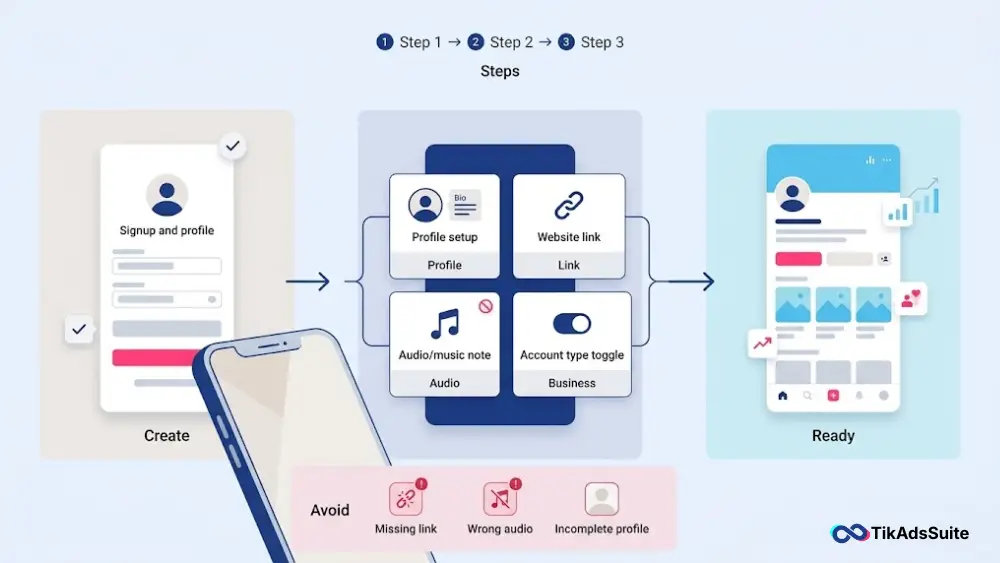
To create a TikTok Business Account, open the app, tap the menu icon on your profile, go to Settings and Privacy, tap Manage Account, then select Switch to Business Account. Pick your business category and the switch is done, free, and immediate. What it doesn’t do on its own is unlock analytics, messaging, or scheduling. Those need an extra step, covered below.
What Is a TikTok Business Account, Really?
A TikTok Business Account is a free, public profile for brands and anyone promoting a product or service. On its own, switching gives you the account type and access to the Commercial Music Library. It does not automatically hand you analytics, auto-messaging, Creative Hub, or a visible website link. Those sit one or two steps further up TikTok’s account structure.
TikTok organizes business features into three levels, not one:
General TikTok Account. This is what you get right after switching. You have a Business Account type and Commercial Music Library access, but no analytics through Business Suite, no automatic messaging, and your business info and bio-link can’t display on your profile yet.
TikTok Account with Advanced Access. You reach this by linking your account to a TikTok for Business account or an unverified Business Center. This unlocks Basic Analytics, automatic messages (Welcome Message, Keyword Reply, Suggested Questions, Chat Prompts), Creative Hub, and the Post Scheduler. You can also edit your business info and bio-link here, though they still don’t display publicly yet.
Verified Business Account (VBA). The highest level, reached through Business Verification. This adds Conversion Analytics, AI chatbot and lead collection in messaging, destination links attached to videos or your profile, public display of your business info and bio-link, and audience geo-targeting.
Music is the one real trade-off that applies from day one. Switching moves you out of TikTok’s full general sound library and into the Commercial Music Library for anything you post. Using a general-library trending sound in promotional content risks a muted or removed video, since those tracks are licensed for personal use only.
Business Account vs. Personal Account vs. Advanced Access
Here’s what actually changes at each stage.
| Feature | Personal Account | Business Account (just switched) | + Advanced Access | + Verified |
|---|---|---|---|---|
| Music library | Full general library | Commercial Music Library only | Same | Same |
| Analytics | Basic view/follower counts | Not available via Business Suite | Basic Analytics | + Conversion Analytics |
| Auto-messaging | Not available | Not available | Welcome message, keyword reply, suggested questions, chat prompts | + AI chatbot, auto-lead collection |
| Bio-link / business info | Requires 1,000 followers | Editable, not displayed | Editable, not displayed | Publicly displayed |
| Creative Hub / Scheduler | Not available | Not available | Available | Available |
| TikTok Shop | Affiliate-linked marketing accounts only | Separate setup via Seller Center | Same | Same |
| Ads Manager | Not connected | Requires a separate TikTok for Business account | Same | Same |
TikTok Business Account Requirements
The bar to switch is low. A few things are worth checking first.
Email or phone number. You need a working one to register. A business domain email saves you a headache later if a teammate needs access, since you’ll want to route that through Business Center rather than sharing a login.
Account standing. Your account needs to follow TikTok’s Community Guidelines. This matters more at the verification stage than at the basic switch: TikTok’s verification documentation notes that guideline violations can trigger a re-verification period and a temporary loss of Verified Business Account features.
No follower minimum to switch. Any account, including a brand-new one, can switch to Business with zero followers. The 1,000-follower rule only applies to unlocking a personal account’s bio-link.
No company registration required to switch. You don’t need a legally registered business to become a Business Account. Business Verification is the separate, optional step that requires documentation, and it’s currently available in 86 markets, per TikTok.
How to Create a TikTok Business Account: Step-by-Step
Step 1: Download TikTok, or sign in if you already have an account
Get the app from the Apple App Store or Google Play Store and tap Sign Up. If you already have a personal account, skip to Step 2. Nothing in your existing account gets deleted.
Use a business email if you have one. If a teammate or agency will ever need access, skip Apple or Google one-tap login. You’ll want to grant access through Business Center later rather than sharing a password.
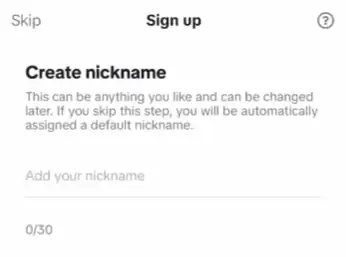
Step 2: Set your username
Match your brand name, and keep it consistent with your other social handles. Skip numbers and underscores where you can. They’re harder to remember and type.
Step 3: Switch to a Business Account
The standard mobile sign-up starts you on a Personal Account.
To switch:
- Tap the menu icon on your profile.
- Go to Settings and Privacy.
- Tap Manage Account.
- Select Switch to Business Account.
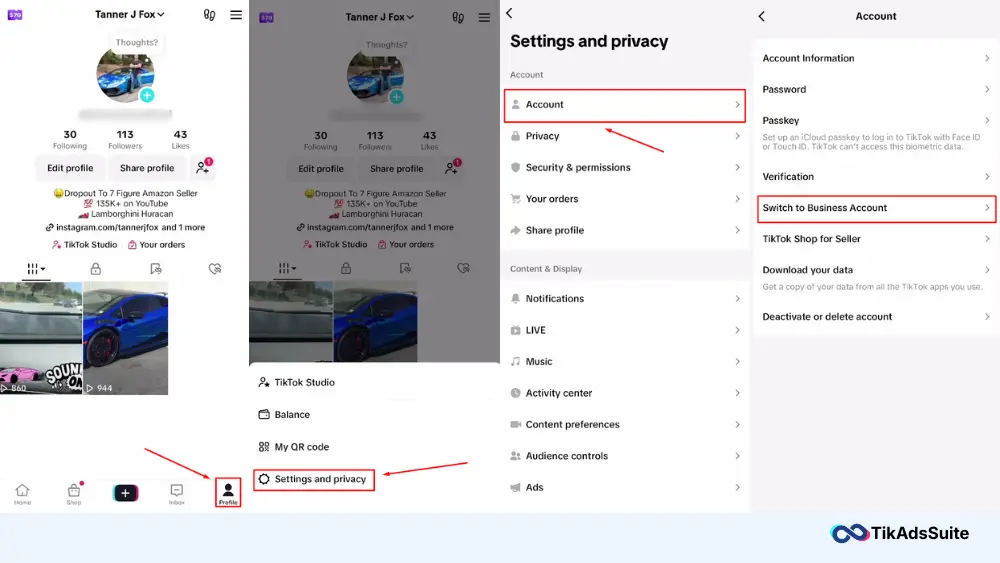
Menu labels can shift slightly by app version and region, but this path matches TikTok’s own current setup instructions. TikTok will explain the music library change before you confirm. Your account type updates immediately, and everything you’ve already posted stays where it is.
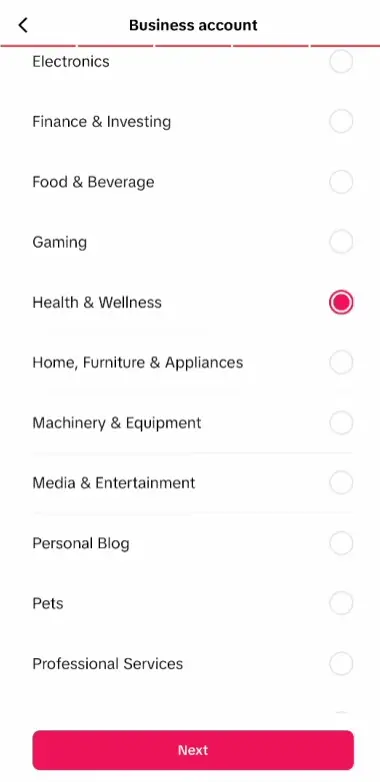
Step 4: Choose your business category
TikTok’s own guidance is that your category helps it show you customized content, events, and solutions. It isn’t described as an audience-targeting setting, so don’t expect a category change alone to redirect who sees your videos. Pick the one that fits, and move on.
Step 5: Complete your profile
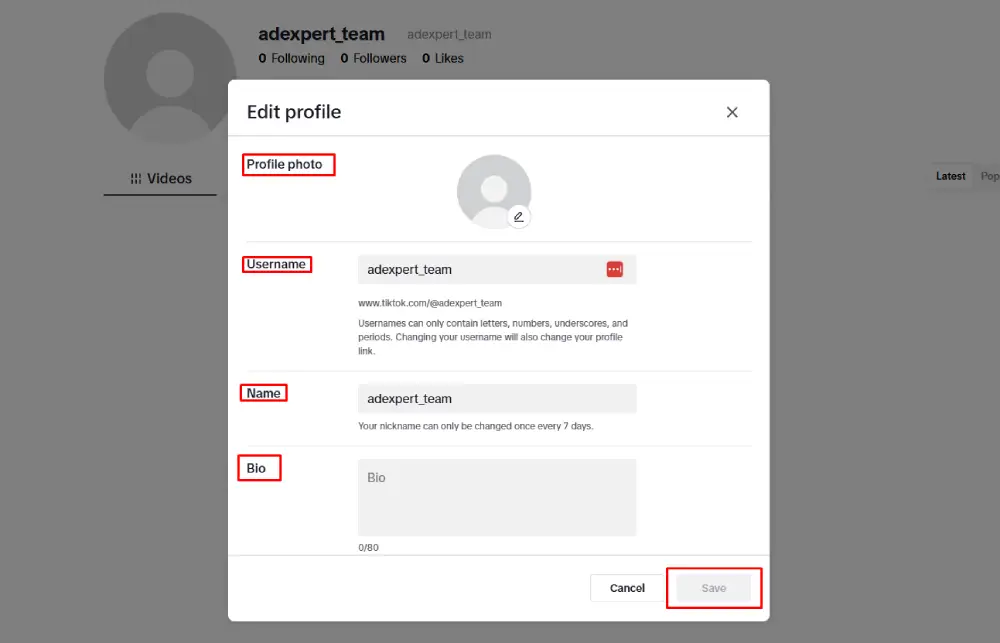
Go to Edit Profile and fill in what applies:
- Profile photo: your logo or a clear brand image.
- Display name: your brand name, plus a keyword if it fits naturally.
- Bio: what you do, in TikTok’s standard character limit. Keep it concise and specific. TikAdSuite’s bio generator is a quick way to draft a few versions before picking one.
- Email, phone, address: you can add these now. Remember they’ll stay hidden from your public profile until you reach Advanced Access to edit them and Verified status to display them.
Step 6: Get Advanced Access
This is the step most guides skip, and it’s the one that actually unlocks analytics, messaging, Creative Hub, and the Post Scheduler. Link your account to a TikTok for Business account, or connect it to a Business Center, and you move from General to Advanced Access automatically.
Step 7: Apply for Business Verification (optional)
Go to Settings, then Business Suite, then Business Verification, and submit your documentation. Once approved, your business info and bio-link display publicly, and you gain conversion tools, lead collection, and geo-targeting. This step is optional and only required if you need those specific features.
What to Do Once You Have Advanced Access
These tools only appear after Step 6 above.
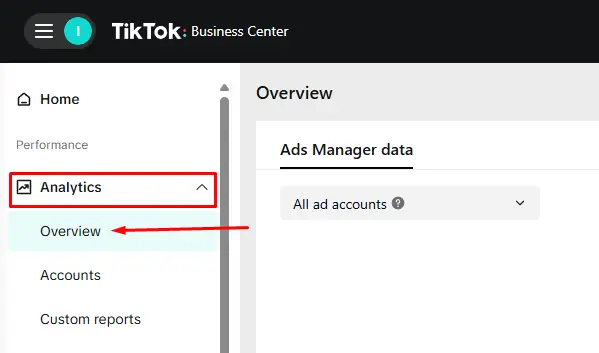
Business Analytics
Go to Profile, then Business Suite, then Analytics. Checking weekly rather than monthly is a reasonable habit for most accounts, though that’s a working preference, not a TikTok requirement.
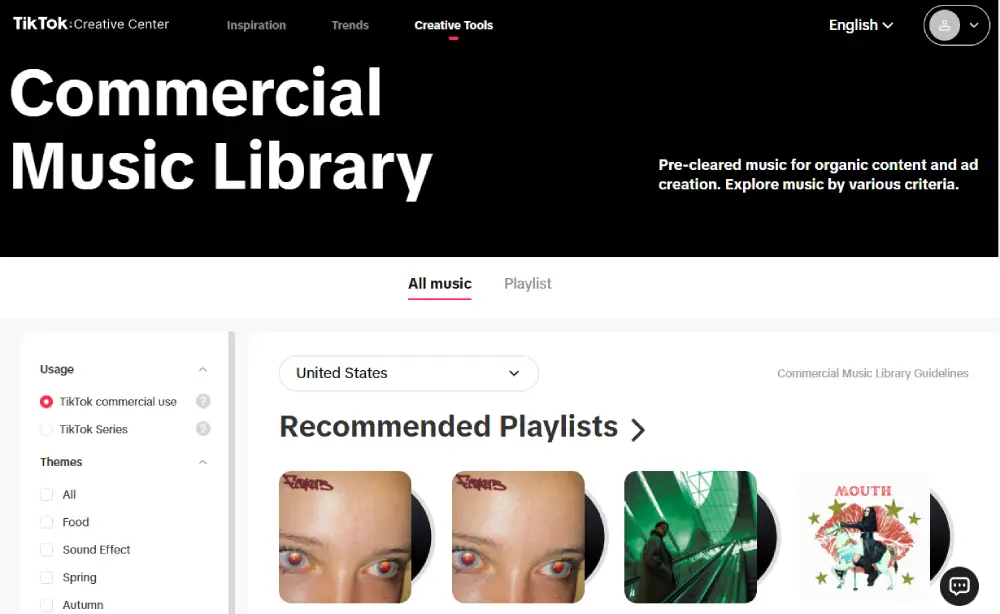
Commercial Audio
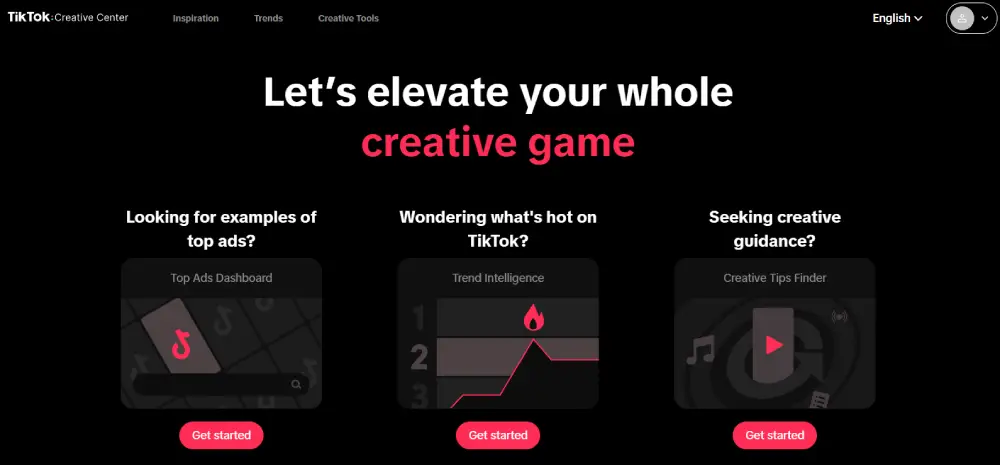
Available from the moment you switch, no Advanced Access needed. Go to Creative Center, then Commercial Sounds, and filter by your category to find audio trending among business accounts specifically.
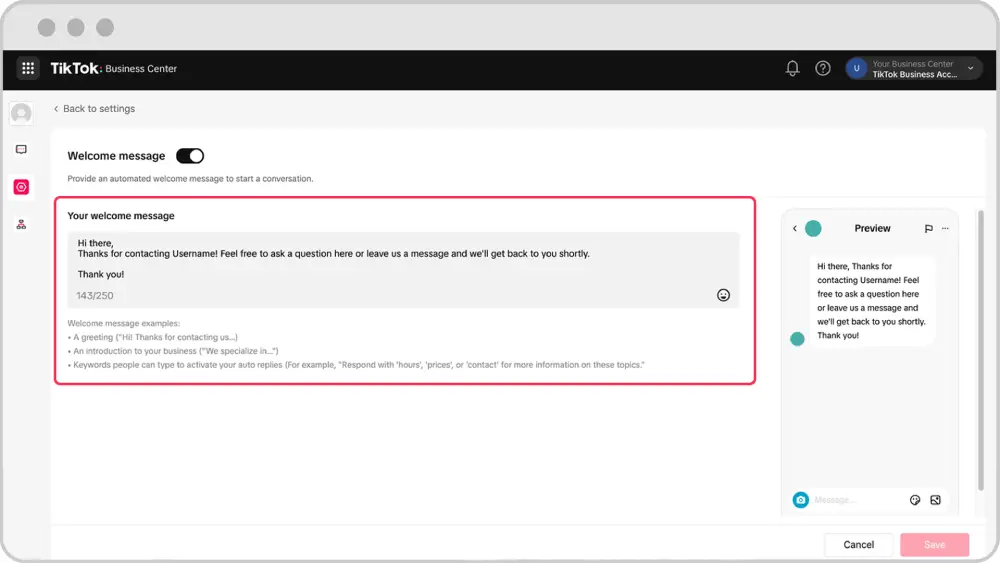
Auto-Messaging
Go to Business Suite, then Message Center, where you can turn on Welcome Message, Keyword Reply, Suggested Questions, and Chat Prompts. You’ll also need Receive Messages from Everyone toggled on in Settings and Privacy. Submitted messages go through moderation and typically clear within one to five business days.
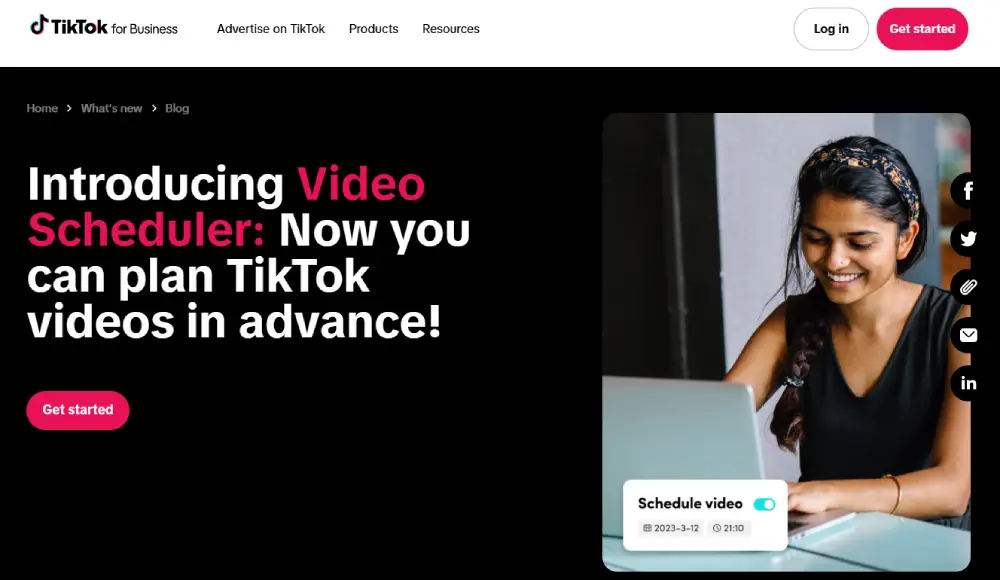
Post Scheduler
Queue videos up to 10 days ahead. Batch a week of content in one sitting instead of uploading daily.
Creative Hub
Surfaces trending content in your category over set windows (1, 7, 15, or 30 days), so you can check what’s working before you film.
Common Mistakes When Creating a TikTok Business Account
Assuming the basic switch unlocks everything. Analytics, messaging, and scheduling all require Advanced Access, not just the switch itself. Budget time for Step 6.
Using audio that isn’t commercially cleared. A trending general-library sound in promotional content risks a muted or removed video. Stick to the Commercial Music Library.
Sharing login credentials with a team or agency. Use Business Center’s account permissions to grant access instead. It’s built specifically to avoid handing out your password.
Confusing Business Account with TikTok Shop or Ads Manager. Neither comes bundled with the switch. TikTok Shop runs through Seller Center with its own eligibility rules, and Ads Manager requires a separate TikTok for Business account, managed through Business Center if you’re running more than one.
Switching account types repeatedly. TikTok advises against switching back and forth between Personal and Business. If you genuinely need both personal and commercial content, run two separate accounts instead.
FAQ
Is a TikTok Business Account free?
Yes, at every level. Switching, Advanced Access, and Business Verification all cost nothing. The only spending involved is optional: paid ads through Ads Manager, or TikTok Shop’s standard commission if you sell through Seller Center.
Does switching to Business give me analytics and auto-messaging right away?
No. Those require Advanced Access, which you get by linking your account to a TikTok for Business account or a Business Center. The basic switch alone only changes your account type and gives you Commercial Music Library access.
Can I use trending TikTok sounds on a Business Account?
Not for promotional content through the standard Add Sound flow, which defaults Business Accounts to the Commercial Music Library. If you have separate rights to a track and complete TikTok’s required Music Usage Confirmation, other options can apply, but the Commercial Music Library is the straightforward, pre-cleared path.
Do I need a registered company to create a Business Account?
No, not to switch. You’ll only need documentation if you apply for Business Verification, which unlocks public display of your business info and a few advanced features.
Does a Business Account come with TikTok Shop or Ads Manager access?
No. Both are separate products. TikTok Shop runs through Seller Center with its own market and eligibility rules, and Ads Manager requires a separate TikTok for Business account, not just a Business Account.
Wrapping Up
The switch itself is the smallest part of this. The account level that comes after it, Advanced Access, is what actually turns on analytics, messaging, Creative Hub, and the scheduler. Do the switch, then link to a TikTok for Business account or Business Center in the same sitting, and you’ll have a functional setup instead of a Business Account that just sits there switched over.
If Ads Manager is next on your list once Advanced Access is in place, TikTok Business is where that connection happens.