
Your TikTok Pixel is missing conversions right now. It has nothing to do with your setup being wrong.
Ad blockers, iOS privacy settings, and browser restrictions all quietly block the small piece of code that tells TikTok someone bought something on your site.
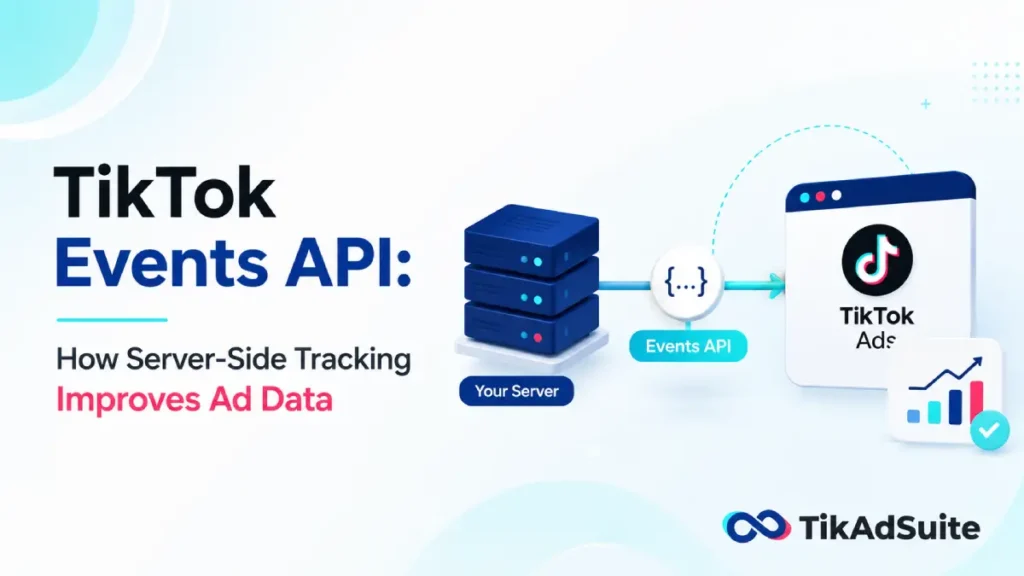
That gap is exactly what the TikTok Events API was built to close. Instead of relying only on a visitor’s browser to report what happened, your server sends the same conversion data directly to TikTok.
No browser dependency. No blocked script. Just a direct line between your backend and TikTok’s ad system.
Here’s what this guide covers:
- What the TikTok Events API actually does and how it differs from the Pixel
- The standard events you can track and which parameters matter most
- Why your Event Match Quality (EMQ) score affects ad performance
- How event deduplication keeps your Pixel and Events API from double-counting
- The three ways to set up the integration, including Shopify and WooCommerce
- How to check that your setup is actually working
By the end, you’ll know whether you need the Events API, which setup path fits your store, and what to check once it’s live.
Get Up to $6000 Free TikTok Ad Credit
Table of Contents
Key Takeaways
- The TikTok Events API sends conversion data server-to-server, so it isn’t blocked by ad blockers or browser privacy settings the way the Pixel can be.
- TikTok recommends running the Events API alongside your existing Pixel, not as a replacement for it, to capture the most conversions.
- Event Match Quality (EMQ) is a 0 to 10 score that shows how well TikTok can connect your events to real users. Higher scores generally lead to better ad optimization.
- You need to pass the same event_id through both your Pixel and Events API so TikTok can recognize duplicate events and only count the first one it receives.
- You can connect the Events API through a commerce partner like Shopify, a data partner like a CDP or tag manager, or a direct API integration your developers control.
Quick Answer
The TikTok Events API is a server-to-server connection that sends website, app, or offline conversion data straight to TikTok, bypassing the browser limits that block Pixel events. Most stores run it alongside the Pixel with event deduplication turned on, which recovers missed conversions and improves ad targeting without duplicating the data TikTok already has.
What Is the TikTok Events API?
The TikTok Events API is a server-to-server interface that lets you share the actions customers take on your website, app, or in offline channels like stores and CRMs directly with TikTok. Think of it as a second messenger. Your Pixel tells TikTok what happened in the browser.
Your server tells TikTok what actually happened in your system, like a payment that cleared or an order that got confirmed.
That second messenger matters more than most store owners realize. A customer might block third-party scripts, close the tab before the Pixel fires, or browse through TikTok’s in-app browser, which restricts what scripts can run.
None of that stops your server from knowing the order went through. The Events API gives that server-side knowledge a direct path to TikTok.
How the Events API Works
The process is simpler than it sounds. When a customer takes an action you care about, like adding a product to their cart or completing checkout, your server packages that event and sends it to TikTok using an access token and a pixel or event source ID.
TikTok uses this data to improve ad delivery, consolidate event data from multiple channels into one API, and give you granular control over exactly what information you share.
You decide which events to send and which customer details to include, so nothing sensitive goes out by accident.
The events you send follow the same naming rules as your Pixel. That consistency is what lets TikTok match server events to browser events later on, which becomes important once you turn on deduplication.
TikTok Events API vs. TikTok Pixel
These two tools solve different problems, and most stores get better results running both together instead of picking one.
| Factor | TikTok Pixel | TikTok Events API |
|---|---|---|
| Where it runs | Customer’s browser | Your server |
| Blocked by ad blockers | Yes, often | No |
| Affected by iOS privacy settings | Yes | Rarely |
| Captures ttclid (click ID) | Yes, directly | Needs Pixel or URL capture |
| Best used | As your primary layer | As a second, reinforcing layer |
Do I Still Need the TikTok Pixel If I Use the Events API?
Yes. TikTok recommends having an Events API integration alongside your existing Pixel integration to maximize performance benefits, since Pixel or Events API setup is required before you can use the Web Conversions objective in TikTok Ads Manager.
The Pixel captures the click ID that ties a conversion back to a specific ad. The Events API fills in what the Pixel misses. Together they give TikTok a more complete picture than either one alone.
Standard Events You Should Be Tracking
TikTok gives you a set of predefined events, called standard events, that plug into both the Pixel and the TikTok Pixel setup helper without extra configuration on TikTok’s end.
The most useful ones for ecommerce sellers include:
- AddToCart – fires when a shopper adds an item, using parameters like content type, value, and currency
- InitiateCheckout – fires when someone starts the checkout process
- Purchase – recommended for use when placing an order and completing a purchase happen at the same time
- CompleteRegistration – tracks account sign-ups
- Subscribe – covers follows, content subscriptions, and paid memberships
Each standard event supports reporting, conversion optimization, and audience building, and these events work the same way across both the Pixel and the Events API.
Stick to standard events wherever possible. Custom events exist for edge cases, but they don’t unlock the same optimization tools.
Why Event Match Quality (EMQ) Matters
Sending events is only half the job. TikTok also needs to match those events to real accounts, and that match quality gets scored from 0 to 10.
A weak score means your events are arriving but TikTok can’t confidently connect them to a person who saw your ad, which limits how well the algorithm can optimize your campaigns.
The identifiers that raise your score are things like a hashed email, a hashed phone number, and the ttclid captured from an ad click. TikTok introduced EMQ scoring in late 2024 to improve ad tracking and attribution, and it works alongside your TikTok Ads Manager dashboard rather than replacing anything you already use.
According to Triple Whale, a score in the middle range isn’t a crisis on its own. What matters more is sending every conversion you have, even ones with partial data, rather than holding events back to chase a perfect score.
Event Deduplication: Avoiding Double-Counted Conversions
Running the Pixel and the Events API together creates one obvious risk: the same purchase could get reported twice. TikTok solves this with deduplication.
You share the same event_id as a parameter through both the Pixel and the Events API, and if TikTok recognizes that two events overlap, it keeps the first one it received for measurement and reporting.
You don’t need to do anything special if the Pixel and Events API are sending completely different event types with no overlap. Deduplication only matters when both tools report the exact same conversion.
The setup itself is simple in concept. Generate a unique ID at the moment the action happens, whether that’s a random string or your order ID paired with a timestamp, then pass that same ID to both tracking methods.
Get this step wrong, and your conversion numbers will look inflated, which throws off every optimization decision built on top of them.
How to Set Up the TikTok Events API
TikTok lays out three integration paths, and the right one depends on how much control your team needs over the data.
- Third-party commerce partner integration: This is the fastest path if you sell through Shopify or WooCommerce. The platform handles most of the technical setup, so you connect your store and confirm your events without writing server code.
- Third-party data partner integration: If you already use a CDP, tag manager, or CRM that partners with TikTok, you can route events through that existing tool instead of building something new.
- Direct API integration: This gives your developers full control over exactly what gets sent and when. It takes more setup time but works well for stores with custom checkout flows or unusual event logic.
TikTok recommends setting up the Events API as a second channel alongside your Pixel rather than as a standalone replacement, and getting sign-off from your legal and technical teams before you decide what customer data to share.
How Long Does It Take for Events API Data to Show Up?
Event data isn’t instant. There can be latency between when an event happens and when it shows up in your dashboard, so check the “last received” timestamp in Events Manager to confirm data is actually flowing. Give a new integration at least a full day before you judge whether it’s working correctly.
Checking Your Results
Once your integration is live, watch two things: how many events are arriving through the server versus the browser, and whether your conversion rate benchmarks start to shift.
A rising server-side event count with stable or improving conversion numbers is a good sign your setup is capturing conversions the Pixel alone was missing.
If you’re also running retargeting campaigns, better event data means TikTok can build sharper custom audiences from the purchases and cart activity your server confirms.
FAQ
Do I need developer help to set up the Events API?
Not always. If you sell through Shopify or WooCommerce, the partner integration handles most of the technical work for you. Direct API integration and custom CDP setups usually need a developer, since they involve generating access tokens and mapping events manually.
Will the Events API replace my TikTok Pixel?
No. TikTok designed the Events API to work alongside the Pixel, not instead of it. The Pixel captures the ad click ID, and the Events API fills in the conversions the browser misses. Running both together, with deduplication turned on, gives you the most complete data.
What happens if I don’t set up deduplication?
Your Pixel and Events API could both report the same purchase, which inflates your conversion counts. Inflated numbers make your campaigns look more profitable than they are and can lead you to scale spend based on inaccurate data.
Which events should a new store track first?
Start with AddToCart, InitiateCheckout, and Purchase. These three cover the core buying journey and unlock the most useful optimization and audience-building tools inside TikTok Ads Manager.
Is customer data sent through the Events API secure?
TikTok requires sensitive identifiers like email and phone numbers to be hashed before they’re sent, and the connection itself runs server-to-server rather than through the browser. You also control exactly which data points get shared.
Wrapping Up
Start with your Pixel if you don’t have one yet, then layer the Events API on top once that’s stable. The single highest-impact step is getting event deduplication right, since a broken dedup setup will quietly wreck your reporting before you even notice the problem.
If you’re running your store on Shopify, the TikTok Shopify App connects your catalog and checkout events to both the Pixel and Events API without much manual setup, which makes it a reasonable starting point if you want the server-side benefits without building anything from scratch.
Once your events are flowing and deduplication is confirmed, the biggest gains usually show up in your retargeting audiences and lookalikes.
Better source data means TikTok’s algorithm has more to work with, and that tends to matter more for long-term performance than any single creative or bid change.