
You spent hours filming and editing your ad. Then it goes live, and barely anyone taps on it. The problem often isn’t the video. It’s the frozen frame people see first.
Learning how to create thumbnails for TikTok video ads is one of the cheapest ways to lift results. A strong cover image turns a passing scroll into a tap. A weak one wastes good footage and good ad spend.
Here’s what you’ll get from this guide:
- The exact size and safe zones for a TikTok ad cover
- A simple step-by-step process to design one that earns clicks
- Free and paid tools that make the job fast
- Where thumbnails actually show up in TikTok ads
- The mistakes that quietly kill your click-through rate
By the end, you’ll be able to build covers that work on the feed, your profile grid, and search. Let’s start with the quick version, then go deeper.
Get Up to $6000 Free TikTok Ad Credit
Table of Contents
Key Takeaways
- A TikTok ad thumbnail (cover image) should be 1080 x 1920 pixels at a 9:16 ratio, the same as the video.
- Keep faces, text, and your product inside the center of the frame so nothing gets cut on the profile grid.
- Your first video frame acts as the working thumbnail for in-feed ads, so design it on purpose.
- According to TikTok for Business, 90% of an ad’s recall impact lands in the first six seconds, which means your opening frame carries real weight.
- One bold focal point beats a busy cover every time.
How Do You Make a TikTok Ad Thumbnail?
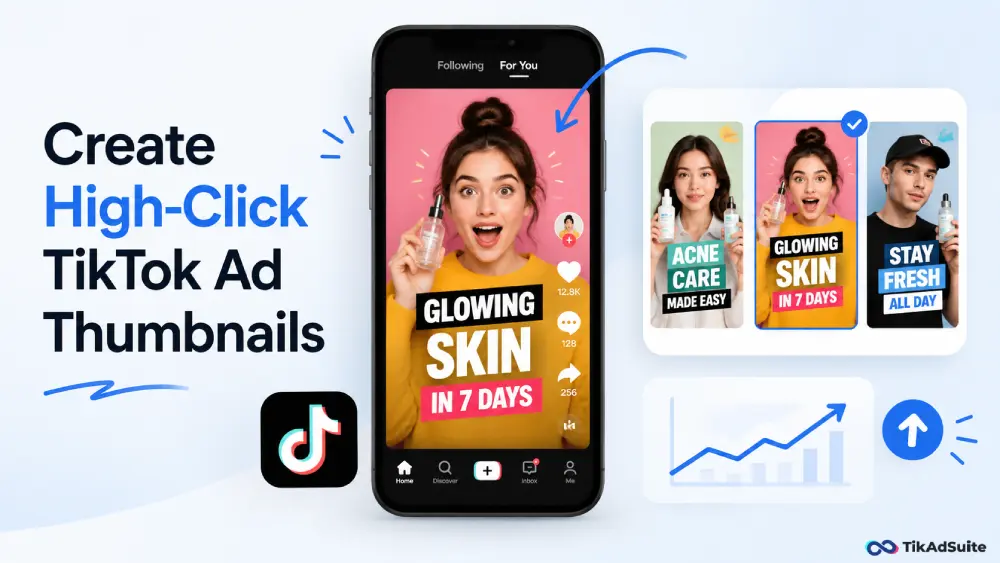
Create your cover at 1080 x 1920 pixels in a 9:16 vertical ratio. Add one clear focal point, like a face or product, plus short, bold text. Keep everything important in the center so it survives the profile grid crop. Upload it as a PNG or JPG under 5 MB when you post the ad.
Why Your TikTok Ad Thumbnail Decides the First Tap
People judge your ad before they understand it. In a fast feed, the cover image is the handshake. It tells viewers in half a second whether your content is worth their time.
A good thumbnail answers one silent question: “What’s in this for me?” If the answer is clear, people stop. If the cover looks random or blurry, they keep scrolling.
This matters even more for paid placements. You pay for every impression, so a low-tap cover means you’re buying views that go nowhere. Treating the thumbnail as a core part of your TikTok video ad creative protects that budget.
What Size Should a TikTok Ad Thumbnail Be?
The cover image matches your video exactly. That keeps it crisp on every screen and avoids black bars or stretching.
| Spec | Recommended setting |
| Dimensions | 1080 x 1920 pixels |
| Aspect ratio | 9:16 (vertical) |
| File type | PNG or JPG |
| Max file size | Under 5 MB |
| Color mode | sRGB |
Use PNG when your cover has sharp text or a logo. Use JPG for photo-heavy covers to keep the file small. Always upload at full size, since smaller images get upscaled and look soft.
How to Create a Thumbnail That Stops the Scroll
You don’t need design skills to make a cover that works. You need a clear process.
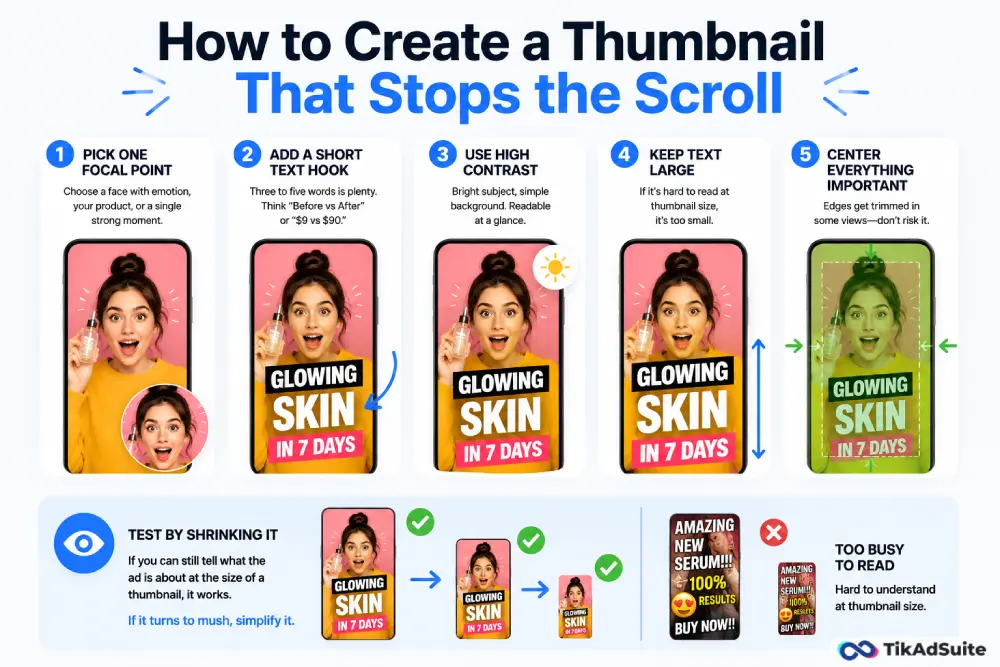
Follow these steps in order:
- Pick one focal point. Choose a face with emotion, your product, or a single strong moment from the video.
- Add a short text hook. Three to five words is plenty. Think “Before vs After” or “$9 vs $90.”
- Use high contrast. Bright subject, simple background. The cover should read at a glance.
- Keep text large. If it’s hard to read at thumbnail size, it’s too small.
- Center everything important. The edges get trimmed in some views, so don’t risk it.
Test your cover by shrinking it on your screen. If you can still tell what the ad is about at the size of a thumbnail, it works. If it turns to mush, simplify it.
Designing for the Profile Grid and Search
Your ad cover doesn’t only show up while the video plays. It also appears on your profile grid and in search results. Both crop your 9:16 image down to a tighter rectangle or square.
That crop trims the top and bottom of your design. So a headline near the top edge can vanish. A logo at the bottom can disappear behind TikTok’s caption overlay.
The fix is simple. Keep your face, product, and main text inside the center block of the frame. Leave the top and bottom as breathing room or background. This way your cover looks right whether someone sees it in the feed, on your grid, or in search.
Consistent covers also build trust. When a new viewer lands on your profile and sees clean, matching thumbnails, your brand looks established. Pairing this with smart TikTok ad safe zone planning keeps your key elements clear of every overlay.
Do TikTok Ads Even Use Thumbnails?
This trips up a lot of advertisers. In-feed TikTok ads autoplay, so viewers rarely see a static cover before the video runs. That makes the first frame your real thumbnail.
So your job changes a little. Instead of designing only a separate cover, you also design the opening frame of the video itself. That frame is what greets people as the ad starts and as they scroll back.
For Spark Ads, which boost an existing organic post, the cover you set on that post does the heavy lifting. It shows on the source profile and in search.
So both the cover image and the first frame deserve attention. Knowing how Spark Ads differ from non-Spark Ads helps you decide where to focus your design effort.
A strong opening frame also supports your hook. Since most ad recall forms in the first few seconds, a clear first frame and a sharp TikTok ad hook work as a team to hold attention.
Tools You Can Use to Make TikTok Ad Thumbnails
You don’t need expensive software. Free and low-cost tools cover everything you need for a vertical cover.
CapCut is a popular choice because you can grab a frame from your video, add text, and export at the right size in one place. It keeps your cover and video looking consistent, which helps with branding.
If you want browser-based templates and quick resizing, FlexClip lets you build a 9:16 cover without installing anything. Both options let you set the canvas to 1080 x 1920 so your design exports clean. If you also handle full edits, browse a few TikTok-ready video editors to find one that fits your workflow.
Common Thumbnail Mistakes to Avoid
Most weak covers fail for the same handful of reasons. Watch for these.
- Tiny text that no one can read at thumbnail size
- A busy background that hides the subject
- Important elements parked in the top or bottom edges
- Leading with a big logo instead of a benefit
- Letting TikTok auto-pick a blurry, mid-motion frame
Fix these, and your tap rate usually climbs without changing the video at all.
Frequently Asked Questions
Can I change a TikTok ad thumbnail after posting?
For organic and Spark Ad source posts, you can update the cover after publishing in many cases. For standard in-feed ads, the first frame is set by the video, so you would need to re-edit and re-upload the creative. Plan your cover before launch to avoid extra work later.
Should my thumbnail have text on it?
Yes, in most cases. Short, bold text gives instant context and lifts curiosity. Keep it to a few words and place it in the center. Avoid the bottom strip, since TikTok overlays your caption there and can cover your message.
What makes a high-click TikTok ad thumbnail?
The best covers share four traits. They have one clear focal point, bold, readable text, strong color contrast, and a face or product with obvious meaning. If a viewer understands your offer in one glance, the cover is doing its job.
Does the thumbnail affect my ad’s performance?
It influences early taps and scroll-stopping, which feed into your click-through rate. A clearer cover usually means more qualified taps. Tracking results against your TikTok ad metrics shows you which covers actually move the numbers.
Wrapping Up
Your thumbnail is small, but it does big work. It earns the first tap, and without that tap, nothing else in your ad matters.
Start with the basics. Build at 1080 x 1920, keep one clear focal point, add short bold text, and center everything important. Then design your opening video frame with the same care, since that frame is the real cover for in-feed ads.
Make one strong version, test it against a second option, and keep the winner. Small cover tweaks often beat full reshoots for lifting clicks.