
Ask ten people what “AI tools for TikTok ads” means and you’ll get ten different answers, because it isn’t one category. Symphony Creative Studio, ElevenLabs, and CapCut each solve a different part of the job, and grabbing the wrong one for a given stage costs more time than skipping AI and doing that stage by hand.
Most guides don’t make that distinction. They walk you through one AI-assisted workflow start to finish, as if a single tool covered scripting, voice, video, and editing equally well. None of them do.
This guide is organized by production stage instead, so you can see exactly where TikTok’s own Symphony suite already has you covered, and where a third-party tool is actually worth the extra account.
Here’s what you’ll find at each stage:
- Which parts of Symphony live inside Ads Manager, and which are a separate tool entirely
- The best option for scripts, hooks, video generation, voiceover, captions, and editing
- When TikTok requires you to disclose AI-generated content, and when it doesn’t
- What AI still gets wrong on its own: product claims, licensing, and avatar credibility
- How to test AI-made creative against your actual campaign goal, not a borrowed metric
Pick the stage that’s slowing you down most right now and start there. You don’t need the whole stack to get something useful out of this.
Get Up to $6000 Free TikTok Ad Credit
Table of Contents
Key Takeaways
- TikTok’s Symphony suite is not one tool. Symphony Creative Studio is a separate, free creation platform you log into on its own; Symphony Automation is the part that’s actually built into Ads Manager.
- Creative refresh has a measurable upside: in TikTok’s cited CPG meta-analysis, performance campaigns running 5 to 7 creative assets with at least a weekly refresh saw a 1.5x ROAS lift, and brand campaigns refreshing twice a week saw 2.7x higher brand association. That’s TikTok’s reported research on that specific dataset, not a guarantee for every account.
- Not all AI content needs a disclosure label. TikTok requires it for fully AI-generated or “significantly modified” content; minor edits like color correction or cropping don’t trigger it.
- TikTok’s own creative guidance puts the value proposition inside the first 3 seconds and the hook inside the first 6, not a flat “2 to 3 seconds” rule.
- AI speeds up production, but it doesn’t fact-check itself. Every AI-written claim about your product still needs a human to verify it before it goes live.
Quick Answer
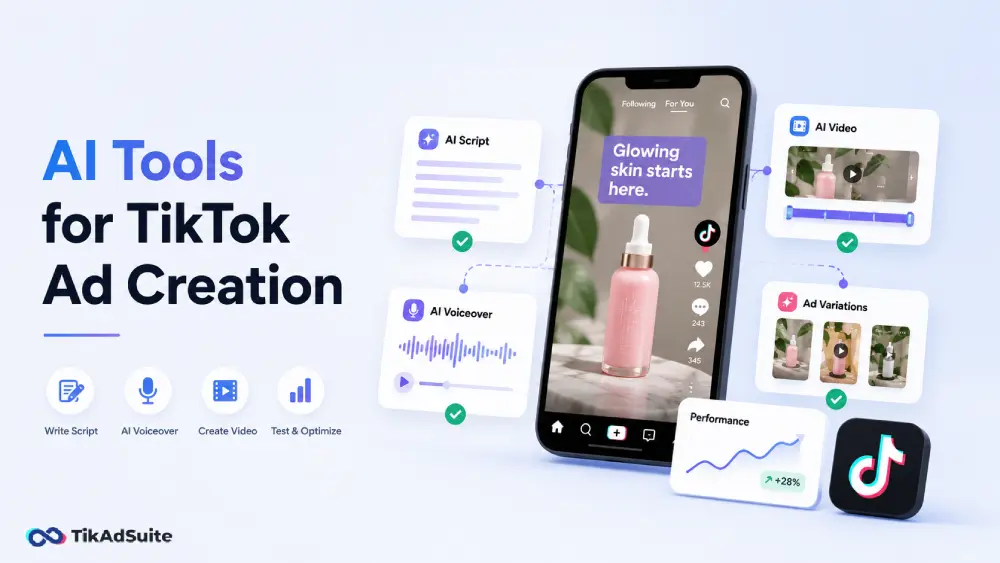
For most advertisers, start with TikTok Symphony Creative Studio; it’s free and covers scripts, avatars, and full video generation. Add ElevenLabs for voice control Symphony doesn’t offer, Pippit for turning product photos into video ads, and CapCut for editing depth. Most stacks end up combining two tools, not one.
What Are the Best AI Tools for TikTok Ads Right Now?
| Production stage | Best native option | Best third-party option | Why add the third-party tool |
|---|---|---|---|
| Script and hooks | Symphony Agent (inside Creative Studio) | ChatGPT, Claude | More control over tone and length than a template-driven generator |
| Video without filming | Symphony Creative Studio | Pippit | Better fit when you’re starting from product photos, not a URL |
| Voiceover | Symphony avatars | ElevenLabs | Voice control outside Symphony’s licensed avatar library |
| Editing and captions | Symphony Creative Studio’s built-in editor | CapCut | Deeper cutting, beat sync, and color tools |
| Resizing across placements | Manual re-export | FlexClip | AI-driven reframing instead of manually recropping each version |
Inside TikTok Symphony: What’s Native vs. What’s Built Into Ads Manager
This is worth getting right, because it changes how you plan your workflow. Symphony is a suite of separate products, not one button inside Ads Manager.
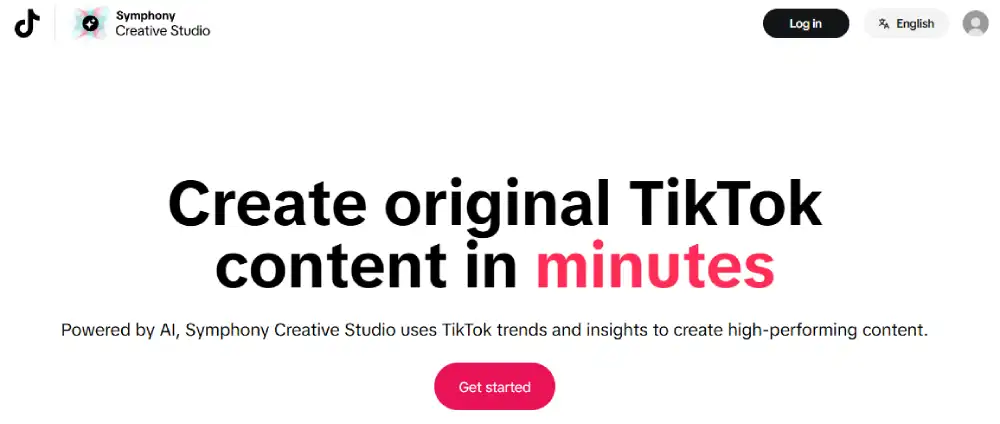
Symphony Creative Studio is a standalone, free tool. You log into it with your TikTok for Business account, build your content there, then export or sync it into Ads Manager when it’s ready. It works for both organic posts and paid ads.
Symphony Agent is a feature that lives inside Creative Studio, not a separate app. It turns a short brief into a full storyboard and video, pulling from top-performing ad structures and current trends.
Symphony Automation is the piece that’s actually built into Ads Manager. It works on creative you already have, suggesting which existing assets to run and applying enhancements like resizing, refreshed hooks, or translation directly inside your campaign setup.
In mid-2026, TikTok integrated its Dreamina Seedance 2.0 video model into Creative Studio, which TikTok says improves product consistency and motion in generated clips. Creative Studio is generally available to all logged-in TikTok for Business marketers, free to use, whether the output ends up in an organic post or a paid campaign.
Best AI Tool for Writing TikTok Ad Scripts and Hooks
Weak copy sinks a good-looking video. A structured prompt beats a vague one every time, whether you’re using Symphony Agent or a general chatbot.
A prompt that gives you something to actually work with:
“Write a 30-second TikTok ad script for [product]. The audience is [describe them specifically]. The hook should focus on [a real pain point or curiosity trigger]. Keep the tone direct and conversational. End with one clear next step.”
For the hook specifically, TikTok’s own creative best practices guidance is more precise than “grab attention fast”: introduce your value proposition inside the first 3 seconds, and prioritize the hook itself inside the first 6. A weak opening doesn’t guarantee nobody watches the rest, but it does measurably raise the odds people scroll past before the value proposition lands.
Try these prompt patterns for hook variations:
- “Write five hooks that open with a surprising question about [product category].”
- “Write three hooks that open with a bold claim, then build curiosity about [the problem your product solves].”
Read the output aloud. Keep what sounds like a person talking; cut what sounds like a script. The TikTok ad hooks guide breaks down formats that hold attention past that opening window, and the ad hook generator outputs hooks in this structure directly if you’d rather skip manual prompting.
Best AI Tool for Making a TikTok Ad Without Filming
Symphony Creative Studio covers this natively: feed it a product photo, URL, or short brief, and it generates a TikTok-style clip with camera movement and transitions built in, plus AI avatars if you want a presenter on screen.
Pippit is worth adding specifically when you’re starting from product photos rather than a URL. It turns existing product images into video ads with transitions, text overlays, and music, which is a narrower job than Symphony’s, but a faster one if photos are all you have.
CapCut fits here too, matching raw clips to trending templates and generating auto-captions, built specifically for short-form vertical editing rather than general video work.
One thing to flag before you lean on avatars: a digital presenter can work well for a product explainer, but it isn’t a substitute for a real customer testimonial. If your creative implies a genuine personal experience with your product, using an AI avatar to deliver it risks misrepresenting who’s actually speaking.
The guide to using AI avatars in TikTok ads covers where avatars genuinely help and where a real person is worth the extra production time. If you’re starting from product photos specifically, Pippit is built around that exact workflow.
Best AI Tool for Voiceover and Captions
Symphony’s avatar voices are the fastest option if you’re already generating video inside Creative Studio, since voice and visual come from the same workflow.
ElevenLabs is worth adding when you need more control over tone or a voice outside Symphony’s licensed library. Paste in your script, choose a voice style, and export the audio directly.
For captions, CapCut auto-syncs text to your voiceover or recorded audio and handles timing automatically. The caption generator is a lighter option if you just need clean caption text without opening a full editor.
Captions matter for accessibility regardless of whether sound is on. Placement matters just as much: text set too high or too low gets hidden behind TikTok’s UI elements. The ad safe zones guide shows exactly where text needs to sit to display correctly on every device.
Best AI Tool for Editing and Resizing
Symphony Creative Studio’s built-in editor handles the basics without leaving the platform: adjusting text, swapping music, and light trims. It’s not built for advanced post-production, and TikTok doesn’t position it that way.
CapCut is the deeper option: it can detect scene changes, sync cuts to music beats, and apply color correction, all tasks that take real editing time in a standard tool. Treat it as your second stop once you need more than Creative Studio’s basic edits.
FlexClip solves a narrower problem: AI-driven reframing when the same creative needs to work across different aspect ratios or placements. Use it specifically when you’re adapting one asset for multiple formats, not as a general editor. CapCut is the better starting point if editing depth is your bottleneck; FlexClip is worth adding once resizing across placements becomes the recurring task.
When Do You Need to Disclose AI-Generated Content?
This is the part advertisers get wrong most often, because TikTok’s rule isn’t “all AI content needs a label.”
Every video you generate through Symphony Creative Studio is automatically labeled “AI-generated,” no matter how it’s used. That part is a fixed product behavior, not a judgment call.
For content made outside Symphony, TikTok’s advertising policy draws a real distinction:
- Doesn’t require disclosure: minor edits like color correction, lighting adjustments, or cropping.
- Requires disclosure: content that’s fully AI-generated, or real footage significantly modified by AI, including making a subject appear to say or do something they didn’t.
In Ads Manager, that’s the “This ad contains AI-generated content” toggle at ad creation. Once you check it, TikTok adds a persistent on-screen disclosure for the ad’s full duration, and you can’t remove it without changing the underlying asset. Review your current approach against the TikTok ads policy update before you scale spend on anything AI-assisted.
What AI Still Gets Wrong: Claims, Rights, and Avatars
Speed is the advantage AI production tools give you. It’s also where the risk concentrates, because a script can look polished and still say something false.
Fact-check every product claim before publishing. AI can invent specifics that sound plausible: a discount percentage, a comparison to a competitor, a result your product hasn’t actually shown. Treat AI-drafted copy the same way you’d treat a first draft from a junior writer, not a finished asset.
Know what rights you’re actually using. Symphony’s licensed avatars and stock assets come cleared for commercial use inside the platform. Third-party tools and voice clones don’t automatically carry the same clearance, so confirm licensing before you use a cloned voice or a stock asset outside Symphony’s own library.
Don’t let an avatar imply a real testimonial. An AI avatar can carry a product explainer well. It shouldn’t be framed as a real customer, a real expert, or a real employee unless that’s genuinely true, since that crosses from AI-assisted production into misleading content.
How Should You Test AI-Generated Creative?
Skip the idea of one universal testing rule. What you measure should match what the campaign is actually optimizing for.
- Awareness campaigns: watch time, completion rate, and hook retention in the opening seconds.
- Traffic campaigns: CTR, CPC, and what happens once someone lands on your page.
- Conversion campaigns: CVR, CPA, and ROAS. Early view metrics can tell you the hook is working, but they don’t tell you whether the ad actually sells.
A practical setup:
- Create two or three versions of the same ad, changing only the hook.
- Run each as a separate creative inside the same ad group.
- Let the campaign run through its early delivery period before judging it. TikTok’s delivery data is genuinely volatile in the first several days as the system tests combinations, so a verdict pulled too early is often just reading noise, not a result.
- Judge against the metric that matches your objective, not a single early signal in isolation.
- Replace the weakest performer and repeat.
Frequently Asked Questions
Is TikTok Symphony free to use?
Symphony Creative Studio itself is a free creation tool, available to any logged-in TikTok for Business marketer. Running ads based on what you create there still costs your normal ad spend; the creation tool and the media spend are two separate things.
What’s the difference between Symphony Creative Studio and Symphony Agent?
Symphony Agent isn’t a separate product. It’s a feature inside Creative Studio that takes a short brief and builds a full storyboard and video from it, using data on top-performing ad structures. You access it from within the Creative Studio interface, not as its own tool.
Can AI fully replace a human creator for TikTok ads?
Not for every format. AI avatars and generated scripts handle product explainers and direct-response formats well. What they can’t replicate is a genuine customer experience, which is why creator-made UGC still has a place in most TikTok Shop strategies, specifically where authenticity is the point of the ad, not just the visual.
Do all AI-made TikTok ads need a label?
No. Anything built in Symphony Creative Studio is labeled automatically. Content made elsewhere only needs disclosure if it’s fully AI-generated or significantly modified, not for minor edits like color correction or cropping.
Which Stack Should You Actually Use
Start with Symphony Creative Studio. It’s free, it’s built for TikTok’s format specifically, and it covers scripting, avatars, and full video generation in one place.
Add ElevenLabs when you need voice control Symphony’s avatar library doesn’t give you. Add Pippit when you’re starting from product photos instead of a URL. Add CapCut once you need editing depth Creative Studio’s basic editor doesn’t cover, and FlexClip once resizing across placements becomes a recurring task rather than a one-off.
None of this removes the part that still needs a human: checking that what the script claims about your product is actually true, and deciding whether an avatar or a real person is the right call for a given ad.